No one logged in.

Mobile Data Forms

Main Features:

Fully Integrated and Turn-key Mobile Software Solution

Powerful Form Creation Software.

doForms provides you with the most powerful yet easy-to-use web-based form creation software available. You don't need to be a specialist to use it… just know what you want your forms to do. Anyone with office software experience can create their own mobile data forms. And if that's not easy enough, we provide a library of prebuilt data capture forms that you can quickly modify for your particular needs.

Mobile Data Collection Application.

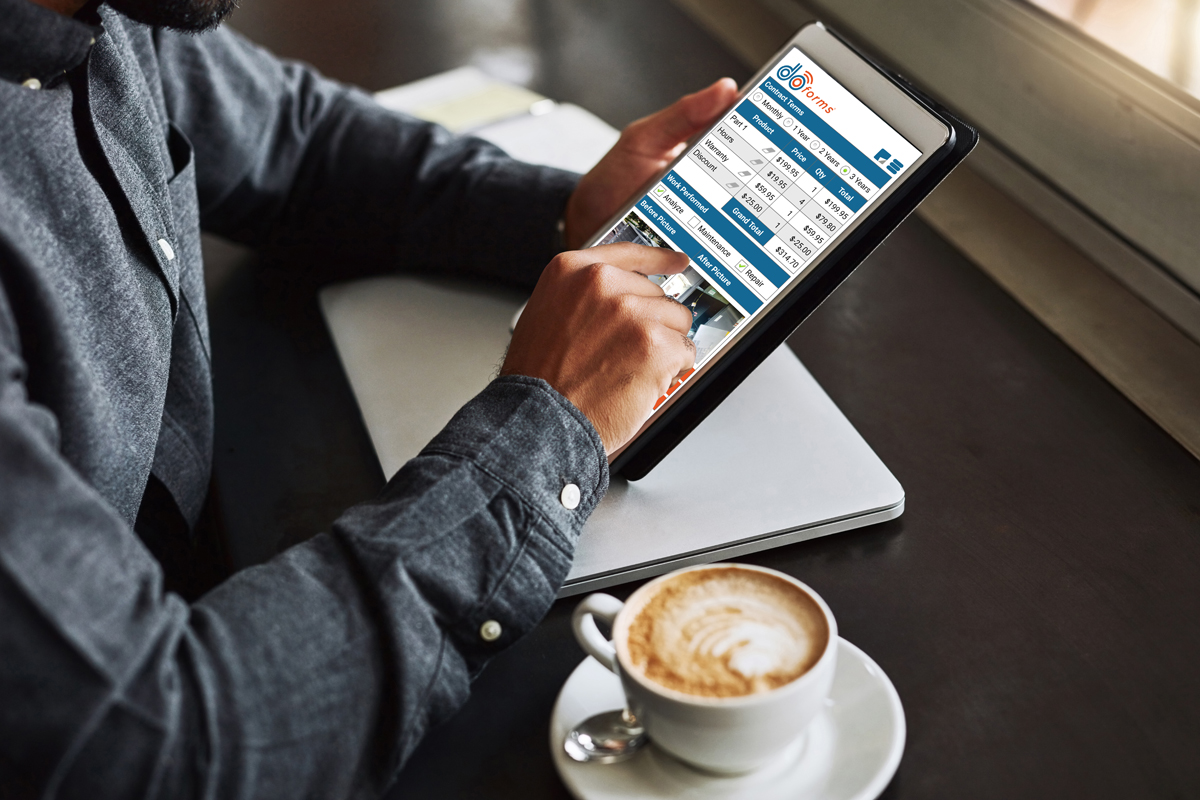
Save money by using your existing smartphones, tablets and PCs. Remotely deploy data capture forms to your workers anywhere in the world. Our powerful mobile data collection application provides simple and intuitive user interfaces for collecting textual data, numeric data, date/time, single choice answers, multiple choice answers, barcodes, signatures, sketches, pictures, video, audio notes and GPS locations. Unlike all browser-based forms, doForms enables your workers to work in both connected and disconnected environments.

Dispatch Forms and Work Order Forms.

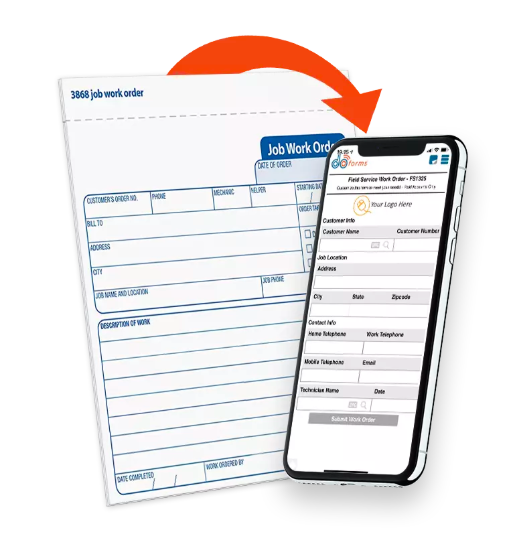
doForms provides powerful dispatch forms and work order forms functionality. These forms contain important information to tell mobile workers where to go and what job to do when they get there. They also let the mobile workers fill out additional form details, take pictures, GPS locations, and capture signatures at the work site. Dispatch forms and work order forms can be filled out, managed and sent directly from your doForms website. Or they can be sent from your existing dispatch and work order system, and forwarded via our Data Exchange Server to your doForms equipped mobile devices.

Data Website With Mapping.

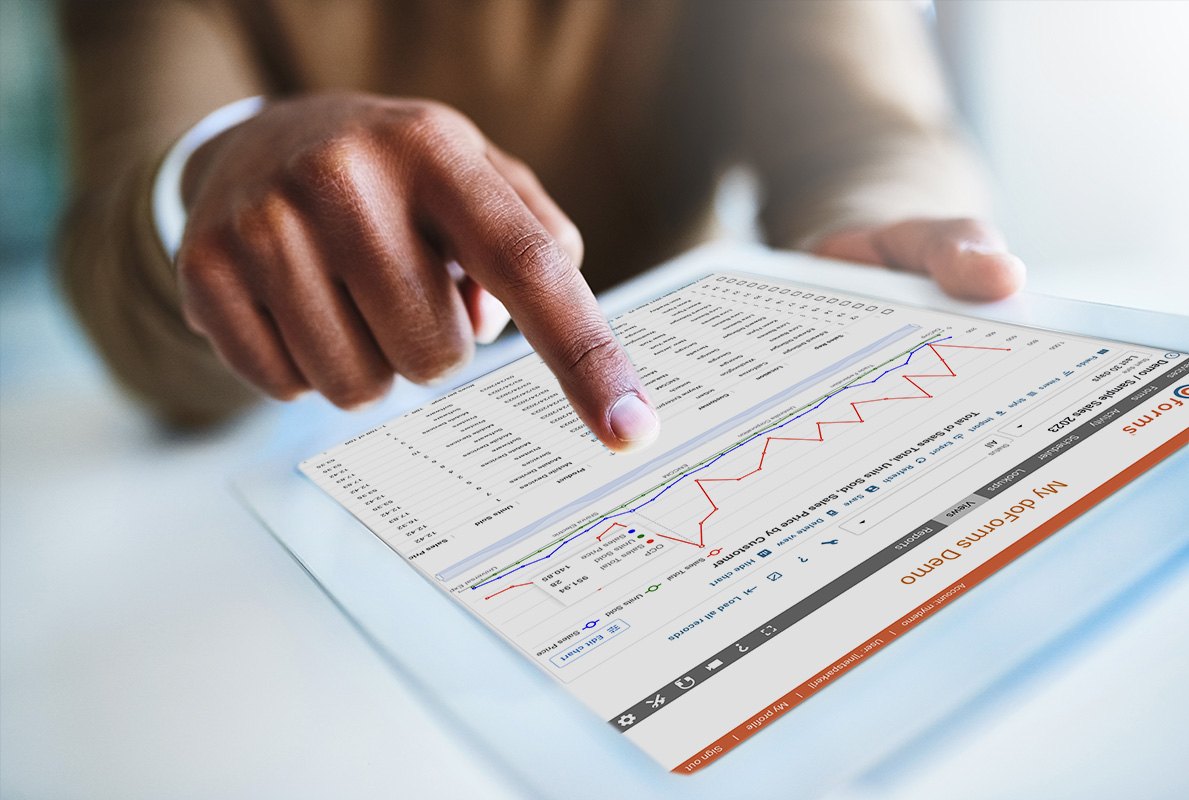
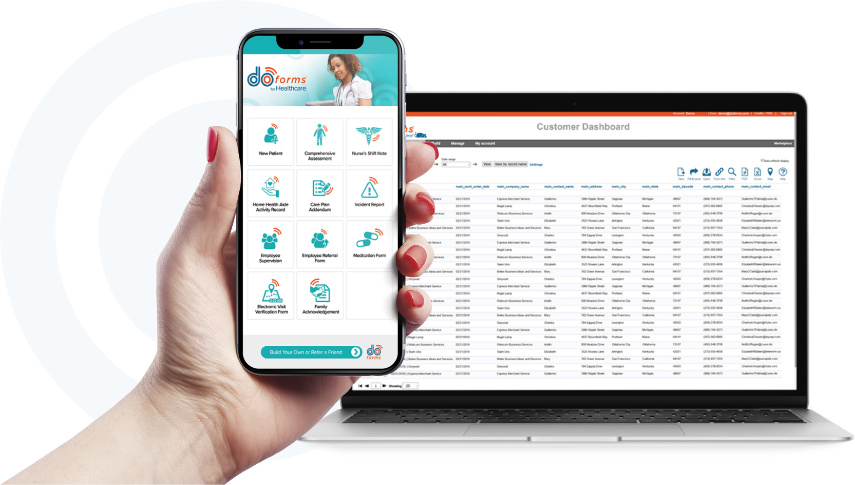
Mobile forms data collected on smartphones and tablets are sent to your personalized doForms website. The website lets you view, map and manage your data; export it for use in your other business applications; publish it with industry standard web services; and manage which data capture forms are deployed to which mobile devices. Have peace of mind, knowing your important data is secure, hosted in redundant data centers owned and operated by Google. Read more ...

Email PDF Reports.

Email professionally formatted PDF reports right from their mobile device, or from your doForms website. Include your own logo. If your form contains images, the pictures will be included in the PDF. If it contains GPS coordinates, these will be overlaid on maps in the PDF. And if your forms contain audio notes or video clips, clickable "http" website links for these will be included in the PDF report. PDF reports include "page settings" that let you control the content and format.

Support & Implementation Services.

doForms is designed to be used by you with no assistance needed. But if you run into problems, you can count on our technical support team to provide quick solutions. And if you simply do not have time or staff available to build and deploy your mobile business applications, our experts are ready to provide project based support services at a very affordable price.

« Previous Next »

Powerful, Yet Easy-to-Use Form Creation Software

Create You Own Mobile Data Forms.

doForms provides you with the most powerful yet easy-to-use web-based form creation software available. Use it to design and build any data capture form that you need for your business. Our form creation software provides simple and intuitive drag and drop user interfaces for adding textual data, numeric data, dates, single choice answers, multiple choice answers, category scores, barcodes, signatures, sketches, pictures, video, audio notes and GPS locations. You don't need to be a specialist to use it. Anyone with office software experience can learn to use it.

Use Our Mobile Data Forms Library.

We provide a library of prebuilt mobile data forms which you can open in the form creation software, then quickly modify for your particular needs, and save the result in your private doForms account. You can request that our experts create specific data capture forms for the public library, or offer your own mobile data forms for inclusion in the public library (and automatically enter our annual doForms Author's Contest).

Mobile Data Forms That Go Beyond Paper.

Imagine using your mobile business application to instantly take a picture, then sketch on top of it to illustrate something of interest; or to scan the barcodes of materials being delivered to a job site. Imagine recording audio and video and embedding them right in your electronic data capture forms; or using the GPS to precisely record a location. Think about the increased speed and accuracy of reporting. Consider the fraud reduction possibilities of all of this.

Advanced Mobile Data Collection Features.

With our form creation software you can use advanced "skip logic" to move from one part of a mobile data form to another. You can also include complex "relevance criteria" to determine which questions should be displayed; and sophisticated "constraints" that ensure the validity of answers. While technically "advanced", all of these features are easy-to-use … thanks to our simple user interface.

Preview Your Mobile Data Forms Before Deploying.

Once you have authored a mobile data form, preview its functionality right in your web browser to ensure it works exactly as you want it to, before deploying it to your mobile workers.

« Previous Next »

Flexible Easy-to-Use Mobile Data Collection Application

Use Your Existing Hardware for Mobile Data Collection.

Save money by using your existing mobile devices. We support the widest selection of popular iOS, Android and Blackberry smartphones and tablets. As you read this we are working on a Windows version of our mobile data collection application.

Powerful, Yet Simple and Intuitive.

Our powerful mobile data collection application software provides simple and intuitive user interfaces for collecting:

  • Section labels
  • Textual data
  • Numeric data (integer, decimal)
  • Date and time
  • Single choice answers
  • Multiple choice answers
  • Category scores
  • GPS coordinates
  • Signatures
  • Sketch drawings
  • Picture images (with sketch overlay)
  • Video clips
  • Audio notes
  • Barcodes
  • Approvals
Data are stored on the mobile device until sent to your personalized doForms website.

Advanced Mobile Data Forms Features.

Your mobile data forms can use advanced "skip logic" to jump from one part of a form to another. You can also use complex "relevance criteria" to determine which questions should be displayed, and sophisticated "constraints" that ensure the validity of answers.

Email PDF Reports.

Email professionally formatted PDF reports right from their mobile device, or from your doForms website. Include your own logo. If your form contains images, the pictures will be included in the PDF. If it contains GPS coordinates, these will be overlaid on maps in the PDF. And if your forms contain audio notes or video clips, clickable "http" website links for these will be included in the PDF report. PDF reports include "page settings" that let you control the content and format.

Dispatch Forms and Work Order Forms with Tracking.

These special purpose forms contain important information to tell mobile workers where to go (dispatch) and what to do when they get there (work order). As your mobile workers complete their assigned tasks, doForms let them fill-out data fields in the form, take pictures, capture GPS locations, and collect signatures. The completed data records are then sent back to you. The Mobile app also allows you to track current and past GPS locations as your mobile workers complete their assignments.

Works Connected or Disconnected.

Unlike all browser-based forms, doForms provides a powerful mobile data collection application that enables your workers to collect data in disconnected environments. Data collected by your workers are stored on the mobile device until a cellular, WiFi or satellite Internet connection is available. Then the mobile forms data are sent to your doForms website.

« Previous Next »

Dispatch Forms and Work Order Forms

Complete Information Loop.

doForms provides powerful dispatch forms and work order forms functionality. These special purpose forms contain important information to tell mobile workers where to go (dispatch) and what to do when they get there (work order). As your mobile workers complete their assigned tasks, doForms let them fill out data fields in the form, take pictures, capture GPS locations, and collect signatures. The completed data records are then sent back to you.

Track Your Workers and Progress.

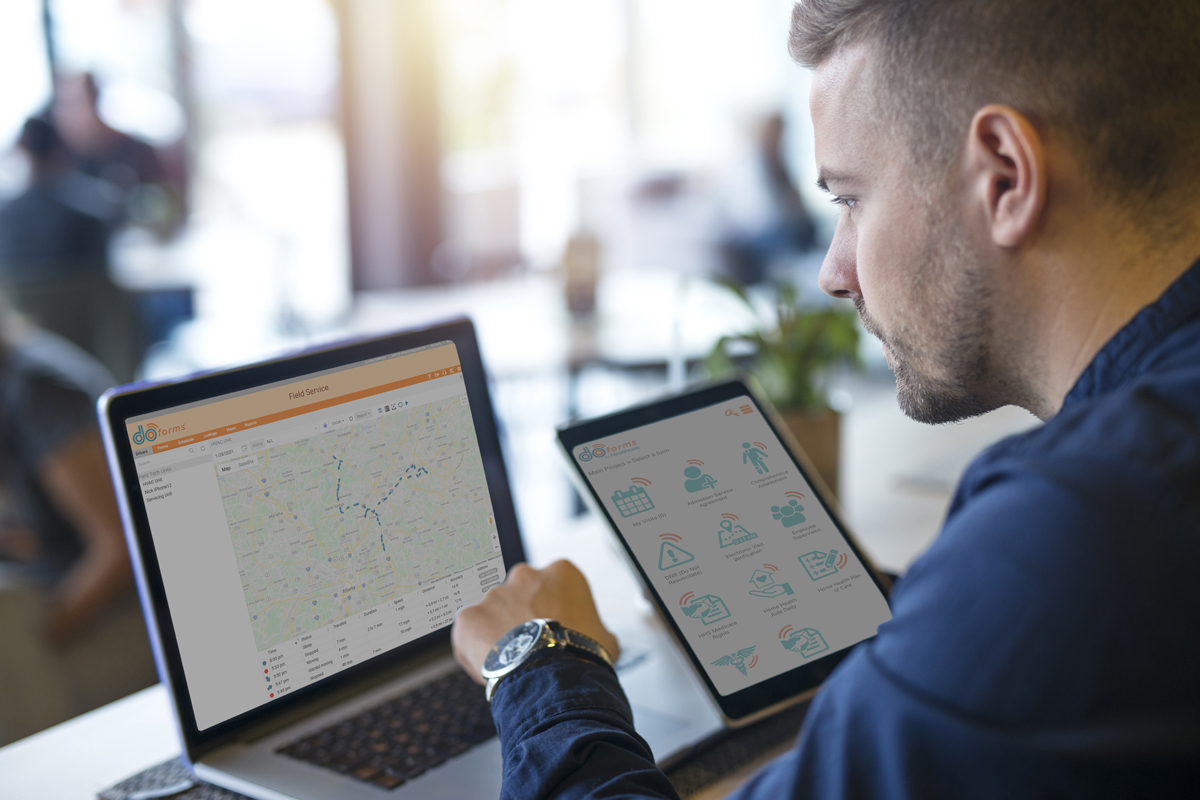
In addition to sending and receiving forms from your workers. doForms also tracks their current and past GPS locations, and these locations are plotted on an interactive map in the Dispatch tab. You can select which workers to view, as well as the time interval. The map also shows the locations where forms were filled out.

For Any Industry.

Send image sending dispatch forms to an ambulance with accident details information already filled out in the form, then have the EMS technicians take pictures, fill out critical statistics, collect signatures, and send this data to the receiving hospital while in transit. Or imagine sending work order forms to your maintenance and repair crews telling them where to go and what to do when they get there.

Use doForms as Your Dispatch and Work Order System.

Your doForms website account provides a specialized Dispatch tab where dispatch forms and work order forms can be filled out, managed, scheduled and sent to your mobile workers. The data sent back from your workers is also viewed in this tab, as well as the status of their assigned job. And your workers' past and present locations are shown on a map in this tab.

Or Use Your Existing Dispatch and Work Order System.

Data can also be sent from your existing dispatch and work order system, and forwarded via our Data Exchange Server to your doForms equipped mobile devices. Similarly, the competed forms can be sent from the mobile devices, and forwarded to your existing dispatch and work order system. Our Data Exchange Server makes this integration simple and quick.

« Previous Next »

Mobile Forms Data Website with Mapping

Aggregate, View, Map and Manage Your Mobile Forms Data.

Our mobile software solution provides you with a website for aggregating and managing mobile forms data collected by your workers. The mobile forms data can be viewed in a spreadsheet-like format. If GPS coordinates are included, mobile forms data can be viewed atop a powerful interactive map. You can sort, query, add and edit data as needed. You can also control which website users have the ability to modify data.

Dispatch and Work Order Control Center.

Your doForms website account provides a specialized Dispatch tab where dispatch forms and work order forms can be filled out, managed, scheduled and sent to your mobile workers. The data sent back from your workers is also viewed in this tab, as well as the status of their assigned job. And your workers' past and present locations are shown on a map in this tab.

Approvals and Tasks.

Your doForms website account also provides important workflow approval features, as well as the ability to email workflow tasks to other website users. Approval steps are digital signed by the responsible party as completed.

Export Data to Your Other Business Applications.

Mobile forms data can be exported to your other business applications such Microsoft Excel, Open Office, and QuickBooks. Export options are also provided for CSV, KML, HTML and PDF file formats. We also provide a quick and easy transfer of mobile forms data into your Google Docs account, from where you can perform analysis, make graphs and charts, create custom reports, and share these on-line with other Google Docs users.

IT Compatibility.

doForms also provides for direct integration of your mobile forms data with your CRM, database and GIS systems, such as Salesforce.com, Oracle, SAP, and ArcGIS. This is done through the use of industry-standard SOAP web services. These web services can be set up and deployed in a matter of minutes with no software programmers involved.

Data Exchange Server.

In addition to SOAP web services, doForms offers an optional Data Exchange Server product that makes bi-directional sharing of data a snap. The Data Exchange Server resides inside your IT environment, and uses a simple Inbox/Outbox concept to share data with your existing business systems. This allows you to continue using these systems in the office while being seamlessly connected with the doForms mobile apps in the field.

Have Peace of Mind.

Have peace of mind, knowing that doForms and your mobile data forms are hosted on top of Google's App Engine IT infrastructure. These servers, and the mobile forms data that reside on them, sit behind some of the most secure firewalls in the world. The level of security and monitoring provided by this infrastructure surpasses what most organizations are able to administer themselves. Read more ...

« Previous Next »

Rapid Deployment of Mobile Data Forms

Remote Deployment Anywhere in the World.

doForms mobile workers just need to download the doForms application, then enter the mobile number and PIN assigned by your doForms manager. The mobile device is automatically "linked" to your doForms website, and all appropriate data capture forms are automatically synchronized to the mobile device.

Control Who Gets Which Mobile Data Forms.

Specific projects, each containing specific mobile data forms, are assigned to each mobile device by a doForms manager. Each mobile worker can be provided with just those mobile data forms they need to do their specific jobs, with no unnecessary clutter. All this happens remotely, from anywhere in the world.

Dispatch Forms and Work Order Forms.

doForms provides a quick and easy way to send dispatch forms and work order forms to your mobile workers telling them where to go and what to do. Dispatch forms and work order forms can be filled out, managed and sent directly from your doForms website. Or they can be sent from your existing dispatch and work order system.

Control Who Can See or Change Data.

Keep your data secure through the use of website usernames and passwords. Then assign specific privileges/roles that control who can change data and publish mobile data forms.

Automatic Updates to Mobile Data Forms.

If a mobile data form changes, the new version is automatically synchronized to your mobile devices, so your workers always have the most current version. This can happen remotely, from anywhere in the world, and can be crucial during rapidly changing events.

Support Services for Your Mobile Business Applications.

doForms is designed to be used by you, with no assistance needed. But if you run into a problem, you can count on our technical support team to provide quick solutions. And if you simply do not have time or staff available, our experts are ready to provide Project Kickstart Services at a very affordable price.

« Previous Next »