




Administrative Automation: Key Takeaways
- Businesses can automate various tasks like data entry, document management, approvals and reporting
- Automating tasks reduces repetitive manual work and improves productivity, accuracy and compliance
- To achieve the best results, avoid automating inefficient processes, using disconnected tools or trying to automate multiple processes at the same time
Businesses can save more than 500 hours per year by automating accounts payable processes alone, according to the American Express Trendex Report: B2B Edition.
For many businesses, that’s enough reason to start looking at automation more seriously.
Let’s look at this in more detail:
- Which administrative tasks are best suited for automation
- Why businesses are investing in administrative automation
- Which tools to consider for administrative workflow automation
- Common mistakes to avoid when implementing automation
Looking for administrative automation software?
Try doForms for free
Common Administrative Tasks You Should Automate
A good starting point is identifying repetitive tasks that require time but little judgment.
Data Entry
Many teams still spend hours manually collecting and entering information that already exists in other systems. This can include customer records, service requests or inspection reports.
Automating the process ensures you don’t have duplicate entry, and the information in your business systems is always up to date and precise.
Document Management
Storing, locating and sharing documents is a common challenge for most organizations.
Administrative automation allows you to:
- Organize files
- Route documents to the correct departments
- Apply naming conventions
- Maintain version control
- Create searchable digital archives
Approval Workflows
Manual approval frequently causes delays. For example, a purchase request for new equipment may require approval from multiple managers, creating bottlenecks while staying buried in emails or paperwork.
Automated workflows automatically route requests to the appropriate stakeholders, send notifications and keep the process moving.
Invoice Processing
Invoice management is often one of the first processes organizations choose to automate.
It helps:
- Capture invoice data
- Route invoices for approval
- Match invoices with purchase orders
- Trigger payment workflows
- Maintain audit records
Employee Onboarding
New hire paperwork typically involves multiple people from different departments.
Automated onboarding workflows can distribute required forms, collect electronic signatures, assign training materials, notify stakeholders and track completion status.
Scheduling
Manual scheduling often leads to conflicts, missed appointments and excessive back-and-forth communication.
Scheduling automation can coordinate calendars, send reminders, confirm appointments, manage recurring meetings and update schedules on the go.
Email Automation
Do your employees spend significant time writing emails?
Automated email workflows can ensure efficient communication while reducing administrative workload by sending:
- Appointment confirmations
- Project updates
- Follow-up reminders
- Customer notifications
- Internal alerts

Administrative automation can bring valuable advantages to both your team and your business
Why Businesses Are Automating Administrative Tasks
Administrative work often grows quietly as your business expands, leading to inaccuracies, errors and stress.
With administrative automation, you can:
Save Time
Automated workflows minimize repetitive tasks that keep employees busy. Instead of manually entering information into multiple systems, you’ll have data flowing automatically between applications in seconds.
This will reduce administrative workload and allow your team to focus on other important areas, such as customer service, problem-solving and strategic planning.
Improve Accuracy
Manual entry increases the likelihood of mistakes. A single typo and you can end up with incorrect invoices, inaccurate customer records, payroll mistakes or errors in project documentation.
Automation reduces human error by using standardized workflows and predefined validation rules.
Increase Transparency
Automated systems leave digital records of every action, approval and submission, making it easier to track progress and identify bottlenecks.
Support Business Growth
Hiring additional administrative staff is expensive. Salaries are only part of the cost. Recruiting, onboarding, training and managing new employees require time, effort and resources.
With automation, your team can process larger workloads without increasing operational costs.
For example, a regional construction company may automate daily field reports, approval requests, and timesheet submissions, reducing hours of administrative work each week while improving visibility into project progress.
How Workflow Automation Improves Productivity
Automation changes how information moves through an organization.
- Tasks move faster from one step to the next without requiring manual intervention.
- Automated notifications prevent delays caused by forgotten approvals or overlooked requests.
- Managers gain access to real-time data and reporting, so they can monitor performance easier and identify areas for improvement.
- Automated workflows create consistent processes and maintain digital records, supporting compliance and audit readiness.
Tools & Software For Administrative Automation
Not every automation platform solves the same problems, so it helps to understand a few options you can find on the market.
Mobile Forms Platforms
Mobile forms allow employees to collect and submit information from smartphones and tablets in real time from any location.
They ensure instant access and sharing, faster approvals and improved accuracy.
Workflow Automation Software
Workflow platforms automate task routing, approvals, notifications and reporting.
The process is based on conditional logic, automated triggers and workflow monitoring.
Document Management Systems
With these tools, you can manage permissions, maintain version control and store files securely.
Integration Platforms
Administrative automation is most effective when systems communicate with one another.
Look for solutions that integrate with CRM platforms, accounting software, payroll systems, ERP applications and human resources systems.
Reporting & Analytics Tools
Automated reporting provides insights into operational performance, workflow efficiency and resource utilization.
Mistakes To Avoid When Automating Administrative Tasks
Administrative automation can deliver significant benefits, but poor implementation often limits results. Here’s what to look for:
Automating Broken Processes
Many businesses automate inefficient workflows without addressing the underlying issues first.
Review and optimize processes before automating them.
Trying To Automate Every Task
Automating too many processes at the same time can create confusion and slow adoption.
Start with repetitive, high-impact tasks and expand automation gradually.
Choosing Disconnected Tools
Using automation tools that don’t integrate with existing systems can lead to data silos and duplicate work.
Look for solutions that connect seamlessly with your current software and workflows.
Ignoring Employee Adoption
Implementing automation without involving employees? You’ll face resistance and low use of the new platforms.
Provide training, explain the benefits and gather feedback throughout the rollout process.
Failing To Standardize Processes
Automating inconsistent processes can lead to unsatisfactory results.
Establish clear procedures, forms, and approval rules before introducing automation.
Not Measuring Results
Many businesses implement automation without tracking its impact on operations.
Monitor metrics such as time savings, error reduction and process completion times. This will show if the automation process is successful and show areas for improvement.
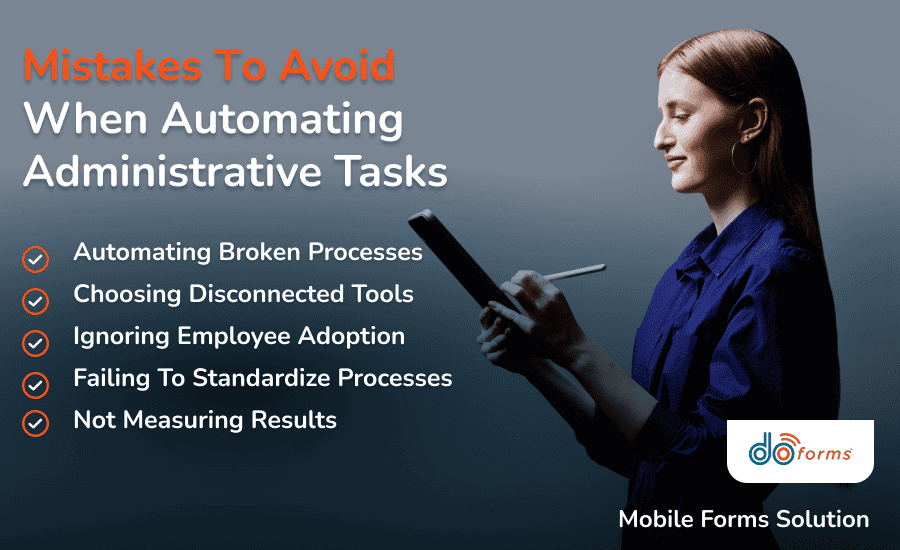
Avoiding common mistakes can help you achieve better results from administrative automation
Looking for Administrative Automation Software? Try doForms
Managing automation is often simpler when forms, workflows and reporting are connected in one platform.
A modern mobile forms platform, doForms helps businesses improve efficiency and accuracy with administrative automation.
Using doForms, you can create digital forms, automate your document workflows, capture electronic signatures, access and share information in real time from any location and generate reports instantly.
Plus, integrate doForms with your existing business systems so you can have immediate visibility across all your operations.
Whether you manage field teams, service operations, healthcare staff, logistics personnel, or construction crews, doForms will help reduce manual work and improve visibility.
Ready to automate administrative tasks and streamline operations?
Start your free doForms trial
Administrative Automation: FAQs
What is administrative automation?
Administrative automation is the process of using technology to handle repetitive office tasks such as data entry, scheduling, document management, approvals and reporting.
What are the benefits of automating administrative tasks?
Automating admin tasks improves productivity and accuracy, lowers operational costs and increases transparency while reducing processing times.
Which administrative tasks should be automated first?
You can start with data entry, scheduling, document management, approval workflows, invoice processing and employee onboarding.
How does administrative automation improve productivity?
Administrative workflow automation removes manual steps, improves communication and gives employees time to focus on more important tasks.
Can I benefit from administrative automation if I run a small business?
Yes. Small businesses often see significant benefits because automation helps them manage growth without hiring extra staff.
Ready to cut your administrative workload in half?
Book a doForms demo