




You hired an HVAC contractor in March to repair a rooftop air conditioning unit before the summer season.
The work was completed and the invoice was paid, but you never asked for the contractor’s insurance certificate.
Six months later, you call the same contractor for another job, and this time one of the technicians accidentally damages a client’s ceiling.
You dig through the files, but without an insurance certificate on hand, you can’t readily prove the contractor was properly insured. You end up covering the repair yourself.
This precise story is made up, but businesses around the world live through some version of it every day.
Poor contract management, including vendor contracts, costs the average company as much as 9% of annual revenue, according to research from World Commerce & Contracting.
Read on to explore:
- The key steps every vendor management workflow policy should include
- What a solid vendor approval workflow looks like
- The documentation your team should be collecting from every vendor
- How to make vendor onboarding faster and less stressful
- Best practices to keep the whole process organized and simple
Looking to optimize vendor management?
Start your free trial with doForms
Key Steps In A Vendor Management Workflow
How should you manage your vendor selection process and ongoing relationships?
A structured vendor management workflow can be broken into several clear stages.
Define Your Business Requirements
Identify the products or services you need, set a budget and decide on performance expectations.
Identify Potential Vendors
Research multiple suppliers, then shortlist vendors that meet your operational, quality and compliance requirements.
Evaluate & Select Vendors
Compare each offer in terms of pricing, capabilities, experience, financial stability and client feedback to select the best fit.
Negotiate Contracts
Before signing, meet vendors and agree on scope, delivery timelines, pricing, payment terms and how you’ll track performance.
Onboard Vendors
Collect required documents and provide onboarding information, so vendors can work efficiently with your team.
Manage Orders & Deliveries
Issue purchase orders and track deliveries, verifying that goods or services meet agreed specifications.
Monitor Vendor Performance
Keep a close eye on quality, delivery times, responsiveness and contract compliance based on the initially set KPIs.
Relationship Management
If there are delays, quality issues or contract violations, address them immediately to minimize operational disruptions and avoid repeat occurrences.
Discuss ways to improve communication and performance to strengthen your relationship with vendors.
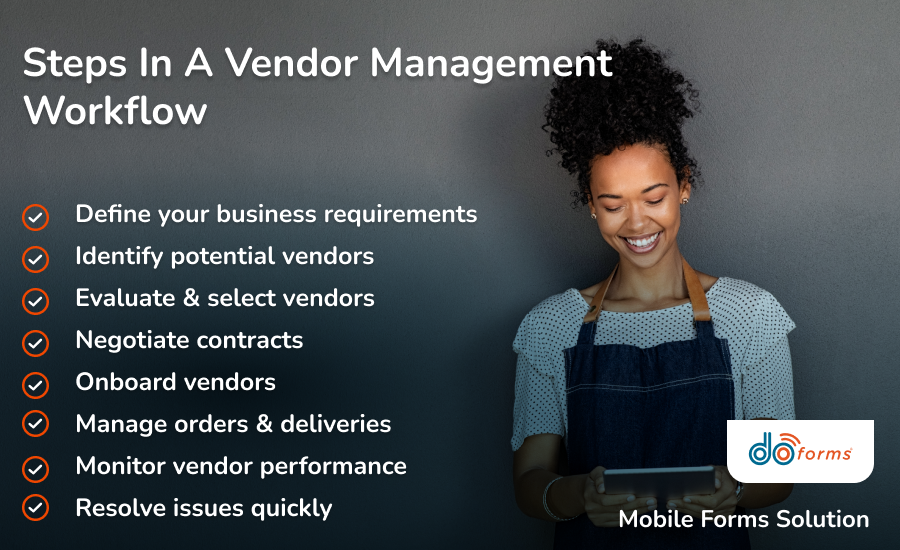
Every vendor relationship follows a few key stages, from first request to ongoing performance review
Vendor Approval Workflow: What To Include
Before creating your vendor approval workflow, consider vendor risk and value and create approval tiers.
A one-time office supply purchase doesn’t require the same approval process as a vendor that will have access to your systems or customer data.
For low-risk, non-strategic vendors, basic business verification and manager or procurement approval are often sufficient to add them to your vendor list.
Strategic suppliers, service providers, contractors and vendors that will handle sensitive data or support ongoing operations typically require a more careful approach.
For these vendors, use the following steps:
- Collect vendor company information, including certifications, licenses and tax documents.
- Before approval, verify business registration, insurance and other required paperwork.
- Assess the vendor’s financial stability and potential operational risks.
- Review the vendor’s capabilities and experience.
- Contact existing clients to get more information about the vendor’s performance and reliability.
- Assess pricing, payment terms, warranties and contract conditions.
- Send the vendor application to your procurement, finance and legal teams so they can review it.
- When approved, add the vendor to your procurement or ERP system, along with their complete records and required documentation.
Vendor Documentation: What Teams Should Collect
Maintaining complete vendor documentation helps your team speed up audits, resolve issues faster and make informed purchasing decisions.
It also leaves a reliable audit trail throughout the vendor relationship.
Make sure to keep on file:
- Business information: Company name, legal entity, address, primary contacts, and tax identification number.
- Contracts and agreements: Signed contracts, service level agreements (SLAs) and renewal dates.
- Compliance documents: Business licenses, insurance certificates, certifications and regulatory documentation.
- Financial documents: Banking details, payment instructions and tax documentation required for vendor payments.
- Security documentation: Data privacy agreements, cybersecurity questionnaires or confidentiality agreements if vendors have system or data access.
- Performance records: Vendor scorecards, KPIs, audit results, delivery reports and issue logs.
- Invoices and payment history: Purchase orders, invoices, payment confirmations and credit notes.
- Communication records: Approval emails, change requests, meeting notes and contract amendments.
How To Streamline Vendor Onboarding
Standardize Your Onboarding Process
Create a consistent intake form with the same information in the same order to ensure a streamlined onboarding process for each new vendor.
Digitize Vendor Forms
Manual vendor onboarding can cost more than $35,000 per supplier, according to Supplier Gateway.
Switching to an automated process brings that cost down to under $2,500, a difference that adds up fast once you’re onboarding vendors regularly.
Replace paper forms and email attachments with digital forms that can be completed online. This speeds up data collection, reduces manual entry, improves accuracy and saves money.
Automate Approvals & Notifications
Use automated workflows to route documents to the respective departments, notify stakeholders when action is required and confirm when onboarding is complete.
Centralize Vendor Information
Store all vendor-related information and contracts in a secure, centralized cloud location, so procurement, finance, legal and operations teams can access what they need with a single click.
Integrate With Business Systems
Connect your vendor onboarding process with your ERP, accounting, procurement, or payment systems to eliminate duplicate data entry and keep vendor information consistent across your organization.
Track Onboarding Progress
Monitor onboarding to identify issues as soon as they occur, from delays to incomplete documentation and pending approvals.
Vendor Approval Management Workflow Best Practices
Onboarding is only a component in the vendor management workflow. What else should you consider?
Define Vendor Approval Tiers
Categorize vendors based on risk and the level of access they have to your business. Follow a simple vendor approval process for low-risk vendors and thorough reviews for strategic ones.
Standardize Your Workflow
Use consistent processes, forms and approval requirements across departments to reduce errors and manage vendors more easily.
Automate Routine Tasks
Automate repetitive tasks like approval requests, document routing, contract renewal reminders and performance review notifications. This reduces manual work and speeds up vendor management.
Monitor Vendor Performance
Track if deliveries are on time, the product or service quality, responsiveness and contract compliance to protect your day-to-day operations.
Maintain Accurate Vendor Records
Keep up-to-date records that can be accessed quickly for reference, checks and audits.

Keep vendor management organized as your business grows
Simplify Your Vendor Management Workflow With doForms
Still managing vendors with paper forms or email and handling errors and delays?
As a modern mobile forms solution, doForms can help companies handling a handful of suppliers or hundreds of strategic vendors digitize and automate their vendor management workflow.
You’ll be able to create digital vendor forms, automate approval workflows, capture electronic signatures and store vendor documents securely in the cloud.
You can also integrate it with your existing business systems and generate real-time reports to monitor vendor approvals, onboarding progress and performance.
Simplify vendor management.
Try doForms for free
Vendor Management Workflow: FAQs
What is a vendor management workflow?
A vendor management workflow is the process a business follows when looking for, approving, onboarding, and managing vendors throughout the relationship.
Can small businesses benefit from a formal vendor workflow?
Yes. You may work with a few vendors, but a documented process will ensure more efficient work and better vendor relationships.
How can digital forms improve vendor management?
Digital forms standardize vendor data collection, route approvals automatically and store documentation in one central database. This reduces manual tracking and follow-up that makes vendor management processes feel disorganized.
Ready to streamline your vendor management workflow?
Book a doForms demo