



Digitizing Work Order Management: Key Takeaways
- To digitize your work orders: Evaluate your current process, create digital templates and automate your workflows
- Digital work order management reduces delays, improves productivity, lowers costs and helps teams collaborate more effectively
- Businesses are moving away from paper work orders because they place various challenges, such as errors, delays and difficulties tracking work in real time
- The best work order software includes offline access, customizable forms, workflow automation, integrations and secure cloud storage
Global spending on digital transformation is expected to reach $3.9 trillion by 2027.
For many organizations, digitizing work order management is one of the simplest ways to improve visibility and streamline daily operations.
In this guide, we’ll cover:
- How to digitize your work order process
- Why businesses are moving away from paper work orders
- Benefits of digital work order management
- Features to look for in work order software
- Common implementation challenges and how to overcome them
Looking to improve your work order management process?
Try doForms for free!
How To Digitize Your Work Order Process
Digitizing your work order process involves several important steps.
1. Evaluate Your Current Work Order Process
Start by looking at how your team currently creates, assigns, completes and stores work orders.
Look for common bottlenecks, recurring errors and manual tasks that take more time than they should.
2. Choose a Mobile Work Order Solution
Look for a platform that allows employees to submit work orders directly from their mobile devices.
Important features include offline access, photo uploads, digital signatures and workflow automation.
3. Convert Paper Forms Into Digital Templates
Replace your paper work orders with digital forms. This will allow your teams to capture the same information in a structured format that has set fields, dropdown menus and automated calculations.
4. Automate Workflows and Notifications
Set up automated processes that send out completed work orders to the right departments and people and trigger follow-up actions when necessary.
5. Integrate With Existing Systems
Connect your digital work order process with the software you already use, whether scheduling, payroll, inventory or customer management systems.
Integration eliminates duplicate data entry and keeps information synchronized across the business.
6. Train Your Teams
Take time to train employees on the new system and show them how it can make their day-to-day work easier.
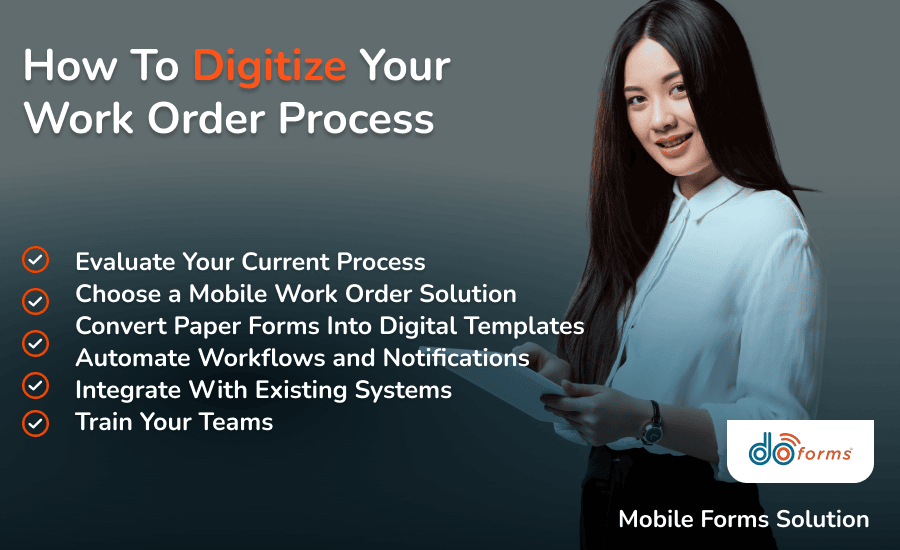
A step-by-step approach to digitizing work orders can help teams adapt more easily
Why Businesses Are Moving Away from Paper Work Orders
For decades, paper work orders have been a simple and familiar way to document job details. They’re inexpensive, easy to use and require very little setup.
However, as businesses grow, paper-based processes can become harder to manage, creating a number of business workflow challenges.
Information often moves slowly between the field and the office, documents can be misplaced or damaged, and supervisors often don’t know the true status of tasks until hours, or even days, later.
Illegible handwriting, incomplete forms and duplicate data entry can lead to billing delays, compliance issues and inaccuracies that can affect client satisfaction and your bottom line.
Digital work orders solve these problems by giving field teams instant access to information, eliminating manual data entry and reducing delays.
Benefits Of Digitizing Work Order Management
Whether you’re managing a field service team, a construction crew or a healthcare facility, staying on top of work orders is key. An organized management process:
- Helps teams respond to tasks more quickly and reduce unnecessary downtime
- Reduces delays and enhances productivity due to optimized resource allocation
- Reduces administrative work and helps control operating costs
- Makes it easier for office and field teams to stay aligned
- Supports faster service and a better customer experience
For example, field service businesses can use work order management tools to dispatch technicians more efficiently, helping reduce response times and improve customer service.
In healthcare settings, digital work orders can help teams track equipment maintenance and stay on top of compliance requirements.
If you are running a construction company, effective work order management can help you break down larger construction projects into manageable tasks, assign responsibilities and track the progress of each task.
Read more about mobile vs. paper forms.
Digital work orders can help create a more organized and responsive workflow
Features To Look for in Work Order Software
The right work order software should make daily tasks easier for both office staff and field teams.
Opt for a solution that supports:
- Offline access, allowing teams to continue working even when internet service is unavailable
- Real-time updates, giving managers and team members visibility into job progress as work is completed
- Customizable forms that can be adapted to your team’s specific workflows
- Photo and document attachments that provide additional context and proof of completed work
- Digital signatures that simplify approvals and help speed up invoicing
- Automated workflows and notifications that keep work moving without manual follow-up
- GPS and location tracking, helping businesses verify job locations and monitor field activity
- System integrations that connect your work order process with other business applications
- Cloud-based storage that keeps work orders organized and accessible from one central location
Common Challenges In Digitizing Work Order Management & How To Overcome Them
Although digitizing your work orders offers significant benefits, many businesses encounter challenges during the transition.
Employee Resistance To Change
Employees who are used to paper forms may be hesitant to adopt the new process.
Choose a user-friendly solution and provide hands-on training.
Poor Data Quality
Incomplete or inconsistent information can reduce the value of digital records.
Use required fields, dropdown menus, and validation rules to ensure your data collection process is accurate.
Integration Challenges
Disconnected systems can create duplicate work and data silos.
Select a platform that can be linked to your existing business applications.
Implementation Costs
For some businesses, cost is one of the biggest concerns when considering a switch to digital tools.
Start with high-impact processes first. Focus on the long-term savings from reduced paperwork, fewer errors, and improved efficiency.
Security & Compliance Concerns
Protecting business and customer data is a top priority.
Use a secure platform with encrypted storage, controlled access permissions, and reliable backup capabilities.
Create Digital Work Order Forms With doForms
doForms is a leading mobile forms solution that empowers you to say goodbye to costly and inefficient paper processes, digitizing work order management within your organization.
doForms delivers:
- Cost-savings: By replacing paper forms with digital documents, businesses can reduce printing, storage and administrative costs.
- Versatility: With doForms, you can process work requests, create and assign work orders and monitor progress. All via one platform. Additionally, you can edit and share checklists and reports associated with each activity that needs to be completed, whether HVAC inspection checklists, construction site preparation checklists or trailer inspections.
- Accessibility: Teams can access records, update documents and check work order statuses whether they’re in the office or in the field. Plus, doForms’ mobile app enables work from anywhere, with or without an internet connection.
- Security: Cloud-based storage helps keep records organized, backed up and easier to locate when needed. In addition, role-based access controls ensure that only authorized users can view, edit or share sensitive information.
- Compliance: Automated documentation and secure cloud storage make it easier to meet industry regulations, prepare for audits and demonstrate compliance.
Whether you’re in the office, on-site or enjoying a well-deserved break, doForms keeps your business at your fingertips.
Ready to give digital forms a shot? Try doForms for free!
Digitizing Work Order Management: FAQs
What industries can benefit from digitizing work order management?
doForms allows you to streamline work order management across various industries, including healthcare, construction, manufacturing, facilities management and field services.
How can digital work order management help track costs?
Digitizing work order management makes it easier to track labor hours, materials and project expenses in one place, giving businesses better visibility into costs. With this organized documentation, you can easily assess costs and implement strategies to optimize future work orders.
How can digitizing work order management contribute to preventive maintenance?
Going digital facilitates the scheduling and tracking of preventive maintenance tasks. This proactive approach allows you to identify and address potential issues before they escalate, reducing unexpected equipment failures.
Digitize your work orders with doForms.
Try doForms for free!