



Proof Of Delivery Form Template: Key Takeaways
- A structured proof of delivery (POD) template includes accurate customer, shipment and signature information
- Proof of delivery form templates help businesses document deliveries and reduce disputes
- Paper POD forms are familiar and simple but often lead to delays, errors and lost information
- Digital proof of delivery forms capture signatures, photos and location data, improving visibility and reducing administrative work
Every year, Americans send more than 22 billion parcels. At that scale, businesses need a reliable way to confirm that every order reaches the correct recipient.
Proof of delivery forms provide that confirmation.
Below you’ll find:
- What to include in a proof of delivery form template
- Why POD documentation is important for your business
- How paper and digital proof of delivery forms work
- Common mistakes to avoid when using POD forms
- How digital tools can simplify delivery documentation
Know exactly when deliveries happen.
Try doForms for free
Proof Of Delivery Form Template
This template outlines the key details typically included in a delivery signature form. Teams usually customize these fields based on their industry, their delivery process and the information drivers need to record.
Delivery Information
- Delivery number
- Delivery date
- Delivery time
- Driver name
- Delivery address
Customer Information
- Customer name
- Company name
- Phone number
- Email address
Items Delivered
- Item description
- Quantity
- Condition on arrival
- Notes (for example, damaged packaging, missing items or substitutions)
Delivery Confirmation
- Recipient Name
- Recipient Signature
- Date Received
Why Proof Of Delivery Forms Are Important
Every day, roughly 1.7 million packages are reported lost or stolen. A proof of delivery form documents that the shipment reached the intended recipient.
Since POD forms act as official delivery records, they help resolve disputes and prevent billing or shipment issues.
- Delivery confirmation: The POD includes the delivery date, time and location, plus the recipient’s signature, proving the order was delivered.
- Customer accountability: Because it verifies the identity of the person who accepted the delivery, the POD prevents disputes where customers may say they didn’t get the shipment.
- Dispute resolution: If a client claims the delivery was not made, the form serves as evidence that the delivery was successful.
- Damage documentation: Drivers or technicians can record damaged goods, quantity discrepancies or packaging issues immediately upon delivery.
- Billing verification: Many companies issue invoices only after receiving proof that the customer accepted the goods or service.
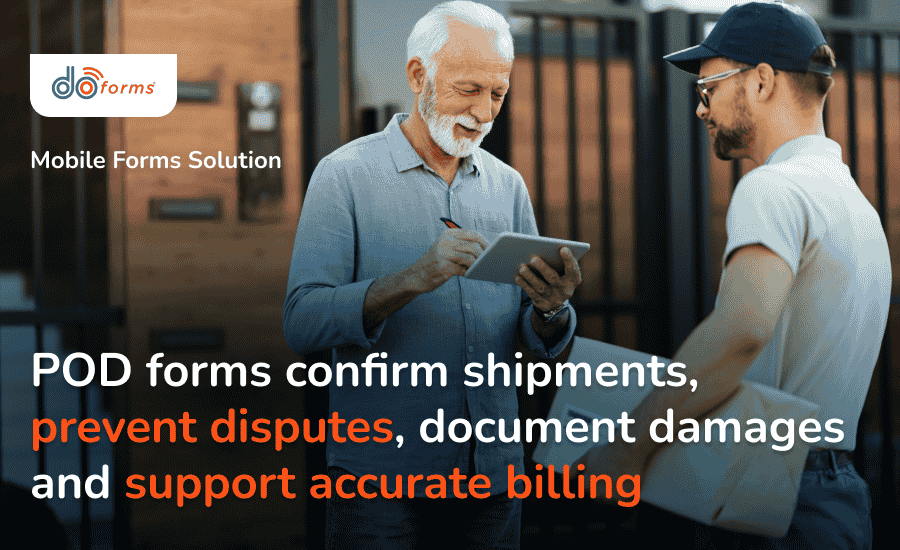
Proof of delivery forms are an essential part of a reliable and efficient delivery process
Proof Of Delivery Form Examples: Paper & Digital
Industries such as logistics, construction, healthcare and field services use proof of delivery forms to confirm they’ve received:
- Construction materials at job sites
- Medical supplies at hospitals and clinics
- Equipment at service locations
- Retail inventory at stores and warehouses
For instance, a construction supplier delivering materials to a job site may require the site supervisor to sign a POD confirming both the quantity and condition of the materials.
Businesses typically use either paper or digital versions of these forms.
Paper Proof Of Delivery
Consider a typical delivery:
Arriving at a retail store with inventory, the driver presents a printed delivery form to the store manager. The document lists all delivered products and quantities. The manager checks the shipment and signs the document to confirm receipt.
At the end of the shift, the signed form is returned to the office and entered into the system.
Digital Proof Of Delivery
In another example, a technician delivers equipment and records the delivery using a mobile form on a tablet.
The customer signs directly on the screen, and the system automatically records their signature along with the timestamp and GPS location.
The information syncs automatically with the company system and generates a confirmation email for the client. No paper hassle, no lost documents, no delays.
Common Mistakes To Avoid With POD Forms
Using POD documentation gives you certain protection against complaints and legal actions.
Still, mistakes in POD documentation can make it difficult to resolve disputes or verify what was delivered.
Avoid:
- Incomplete information: Missing delivery dates or item descriptions can weaken your documentation.
- Unreadable handwriting: Illegible words on paper forms can lead to difficult interpretation of delivery details and processing delays.
- Lost paperwork: Physical documents may be misplaced before reaching the office.
- Delayed reporting: If drivers submit forms only at the end of the day, the office won’t know the delivery status in real time.
- No visual evidence: Without photos, it may be difficult to confirm the condition of delivered goods.
Using standardized templates and digital forms helps eliminate these risks.
Digital Proof Of Delivery vs. Paper Forms
Paper POD forms are simple and familiar. They don’t require any special devices or internet connections. You just print them out and provide them to customers upon delivery so they can be signed on the spot.
However, paper forms can be difficult to read. They may be lost or damaged. And your office staff needs to manually enter the data into digital systems, slowing reporting and invoicing.
Digital PODs streamline the entire documentation process. They can be completed on a smartphone or tablet, capture electronic signatures, allow users to attach photos of delivered or damaged items and sync information instantly with office systems.
This reduced manual data entry lowers the risk of errors and speeds up reporting. While digital solutions require mobile devices and initial setup, they significantly improve efficiency, accuracy and transparency.

Digital PODs provide a more efficient and reliable approach than paper forms
Looking To Digitize Your POD Forms? Try doForms
If your team spends too much time processing paper delivery forms, switching to digital documentation can simplify the workflow.
Mobile forms platforms like doForms allow teams to capture delivery data digitally, helping managers track when deliveries happen and what was received in real time.
Instant and accurate data management is only part of what you get. Once a POD form is submitted, the system can automatically:
- Send a confirmation to the customer
- Notify the office team
- Trigger the next step in the workflow, such as invoicing or reporting
Improve your teams’ efficiency.
Switch to digital PODs with doForms
Proof of Delivery Form Template: FAQs
What is a proof of delivery form?
This is a document that confirms the delivery of goods or services to a customer. It typically includes delivery details, item descriptions and a recipient signature.
Can I use a digital proof of delivery?
Yes. Many businesses now use mobile forms for proof of delivery forms. Solutions like doForms allow you to capture signatures, timestamps, photos and GPS locations directly from your smartphone or tablet.
Are digital proof of delivery forms better than paper ones?
Digital forms reduce paperwork (and the costs associated with use and storage), eliminate manual data entry and give real-time information about deliveries.
Can small businesses use proof of delivery templates?
Small businesses can benefit from standardized delivery documentation. It streamlines the delivery process, prevents disputes and improves recordkeeping.
How long should I keep proof of delivery records?
Most companies keep proof of delivery records for several years, depending on their accounting policies and local regulations. Keeping POD documentation allows you to:
- Prove successful deliveries
- Resolve disputes with customers
- Support invoicing or audits if there’re questions later
Ready to digitize your POD process with doForms?
Book a demo